Advertising Campaigns on Myket
After publishing an app on Myket, developers can run advertisements for it. We refer to these advertisements as “advertising campaigns,” and they are available to developers through “https://promote.myket.ir” in the Myket developer panel.
Developers can also enter this section by clicking “Advertising” in the right-hand menu of their developer panel.
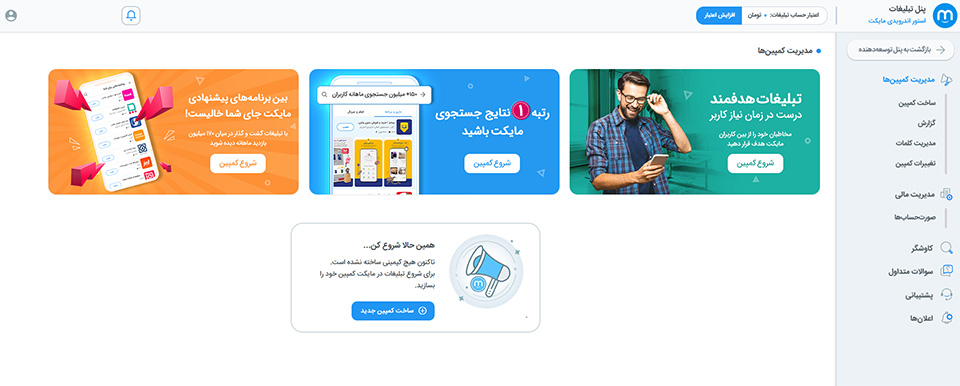
In brief, a developer adds credit to their advertising panel, defines and runs a campaign for their app based on their available credit, and the app's advertisement is displayed on Myket. For each successful install received through the advertisement, a specified amount, determined in advance, is deducted from the developer's account balance.
The general basis of advertising campaigns is displaying an app or game's “advertisement” in a predefined space with an “Ad” tag. Each time an app's advertisement is shown to a user, we call it an ad “impression.” After a campaign starts, the advertising system counts how many times the app or game's advertisement has been shown to Myket users.
Another important parameter is the number of installs received through the app's campaign. The advertising system identifies and determines whether an app has received an install through the campaign it has run. The system then counts these installs.
We can discuss the process and flow of an advertisement, from launch to installation, in more detail. The following flow is defined:
Campaign is running and active -> Advertisement is shown to the user -> User clicks the advertisement -> App page is viewed -> “Install” is clicked on the app page -> File downloads and the download completes -> The install option is shown to the user -> User clicks install -> “Installation successful” box is shown and installation completes
This process is used to count the installs an app receives from its advertising campaign, and the system tracks the user's path through the Myket app.
An install is counted for the app at the final stage, “The ‘Installation successful’ box is shown and installation completes.”
Another important point is that the developer pays for this “successful install.” For each successful install the developer receives, the amount specified per install when defining and creating the advertising campaign is deducted from their account balance.