Myket Video Panel Guide
To speed up the process of receiving content after you start collaborating in the game-stream video content section, a dedicated panel is provided to you.
To learn about the conditions for collaborating with Myket in this section, see here.
How to upload video content to Myket
Publishing movies, series, and stream content on Myket requires review and approval by Myket’s video content review team. If you intend to publish your stream content on Myket, the collaboration process will begin after you submit a request through this link and Myket contacts you. To publish content, you need to use the special panel provided to you and submit your content for review.
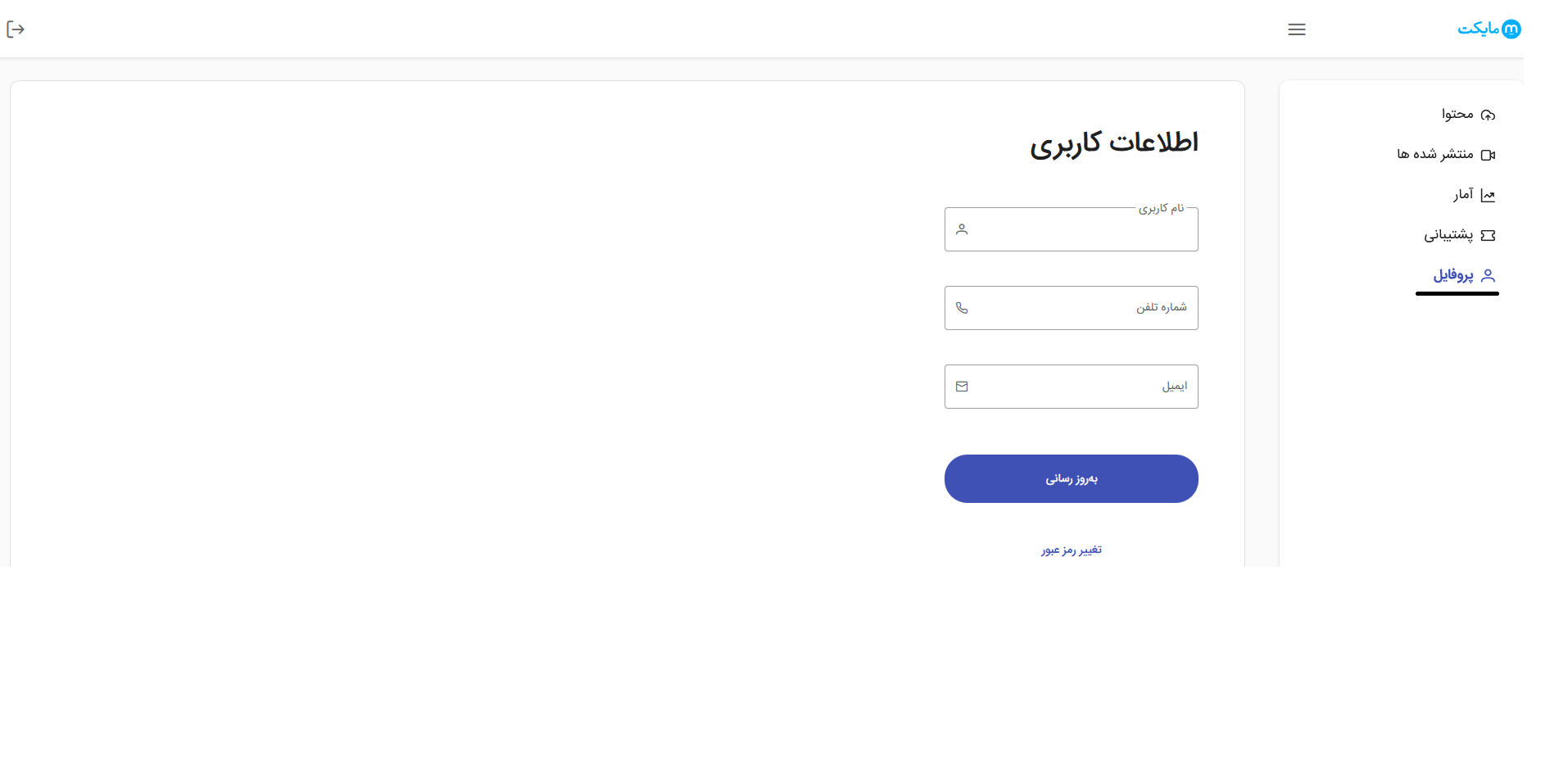
Profile
1. The first step is your personal profile. Sign in to the panel using the username and password provided to you by Myket.
Content
1. In the dashboard, click Content to see all the content you have uploaded.
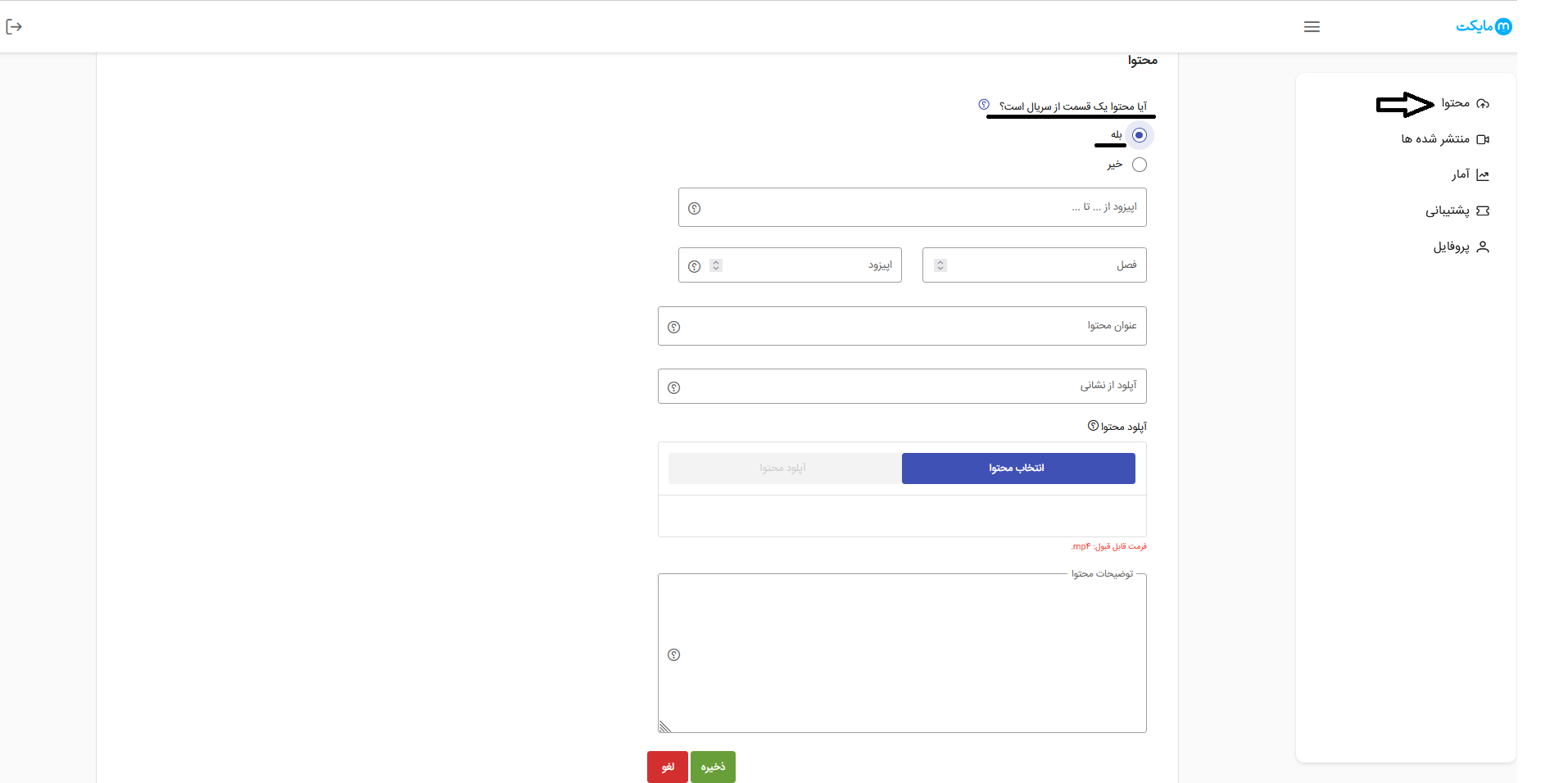
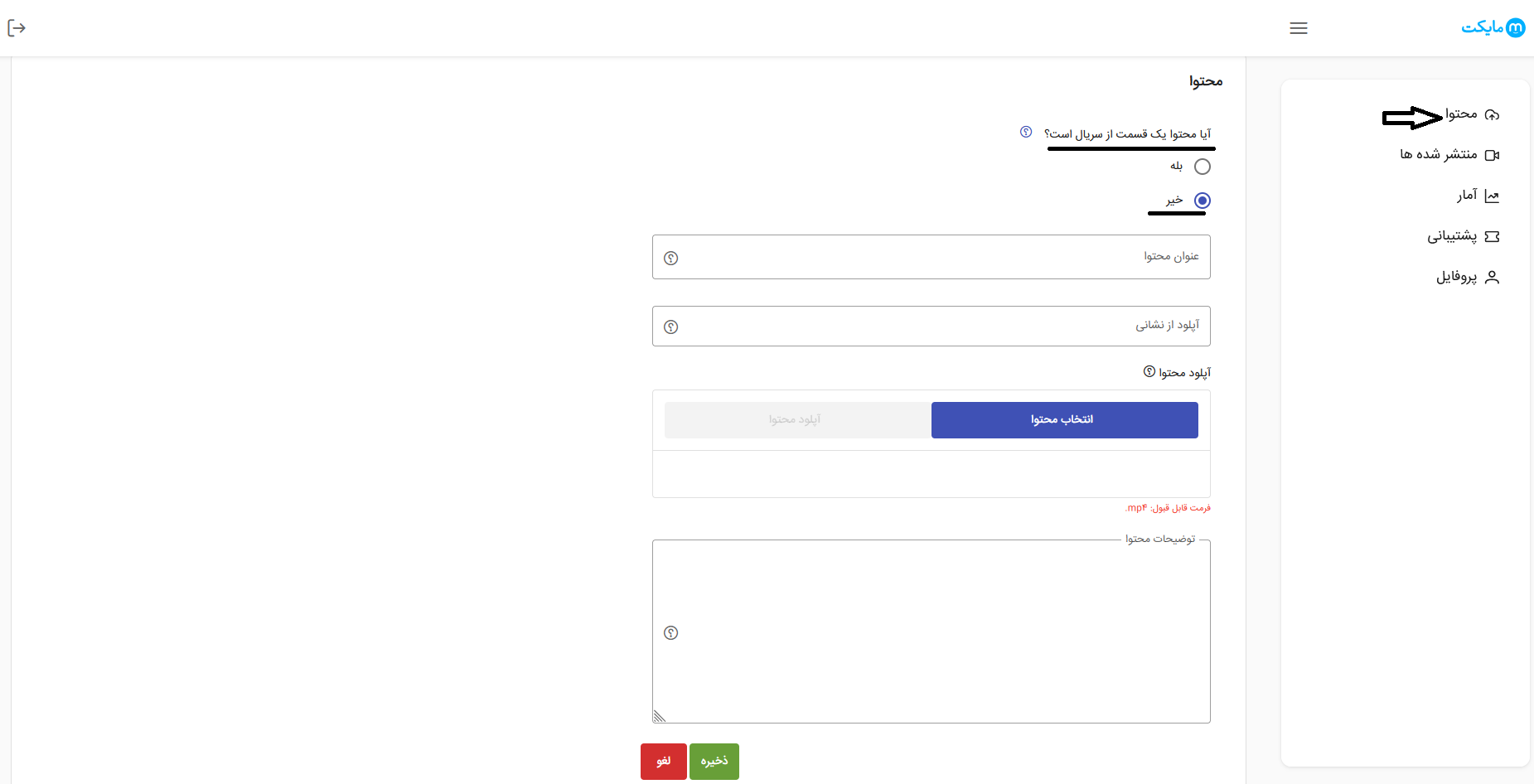
A: By clicking Create Content, you can upload your content as a series or a movie.
Series: If your content has more than one episode, select Yes to specify its type. You can then enter the episode title, season, and episode number.
Single episode: If the content is not ongoing and has only one episode, select No, enter the content title, and upload the relevant link or file.
Content can be submitted either by uploading the content file or by providing a link. If you need to add a comment, save it in the description section.
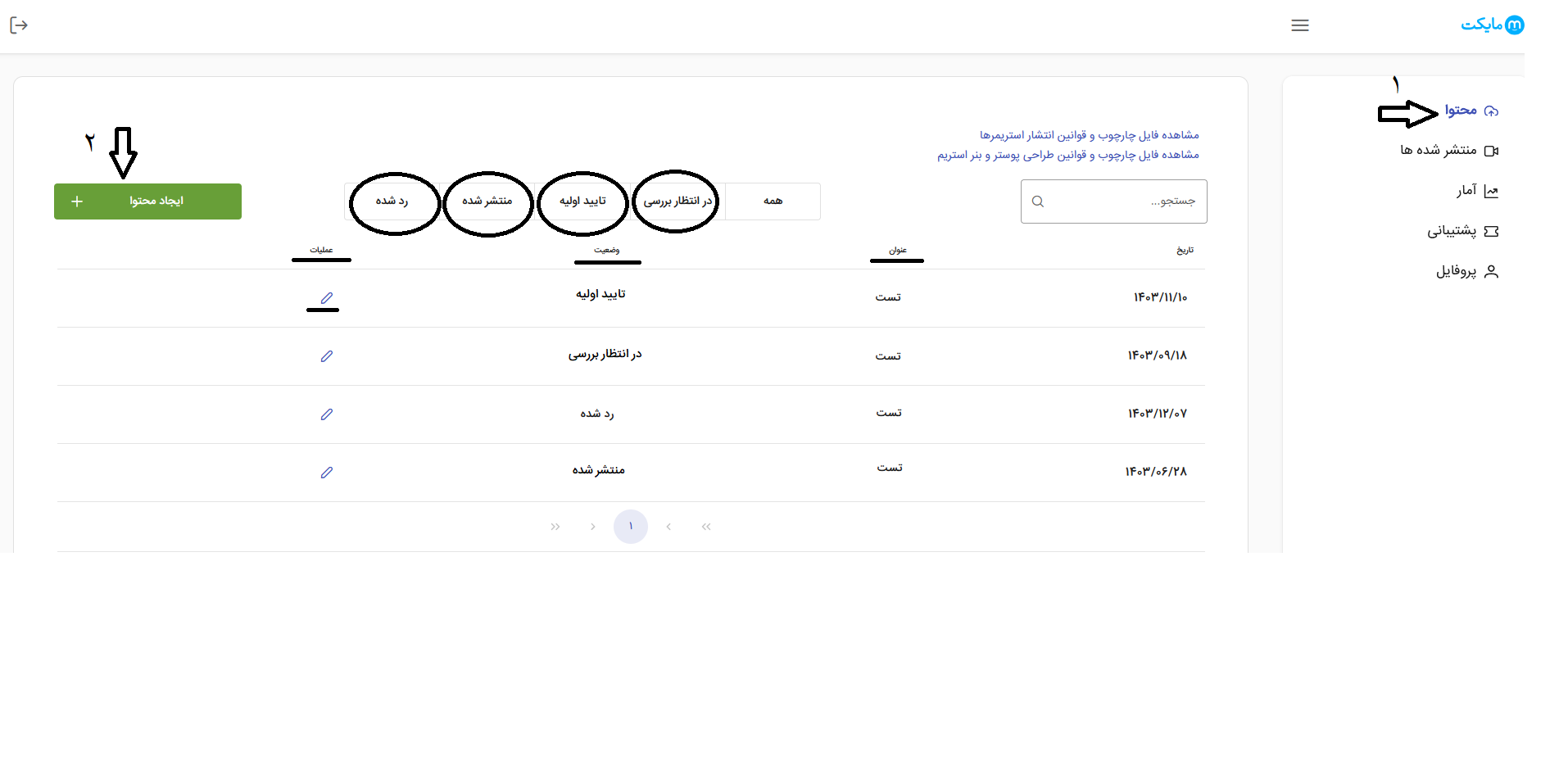
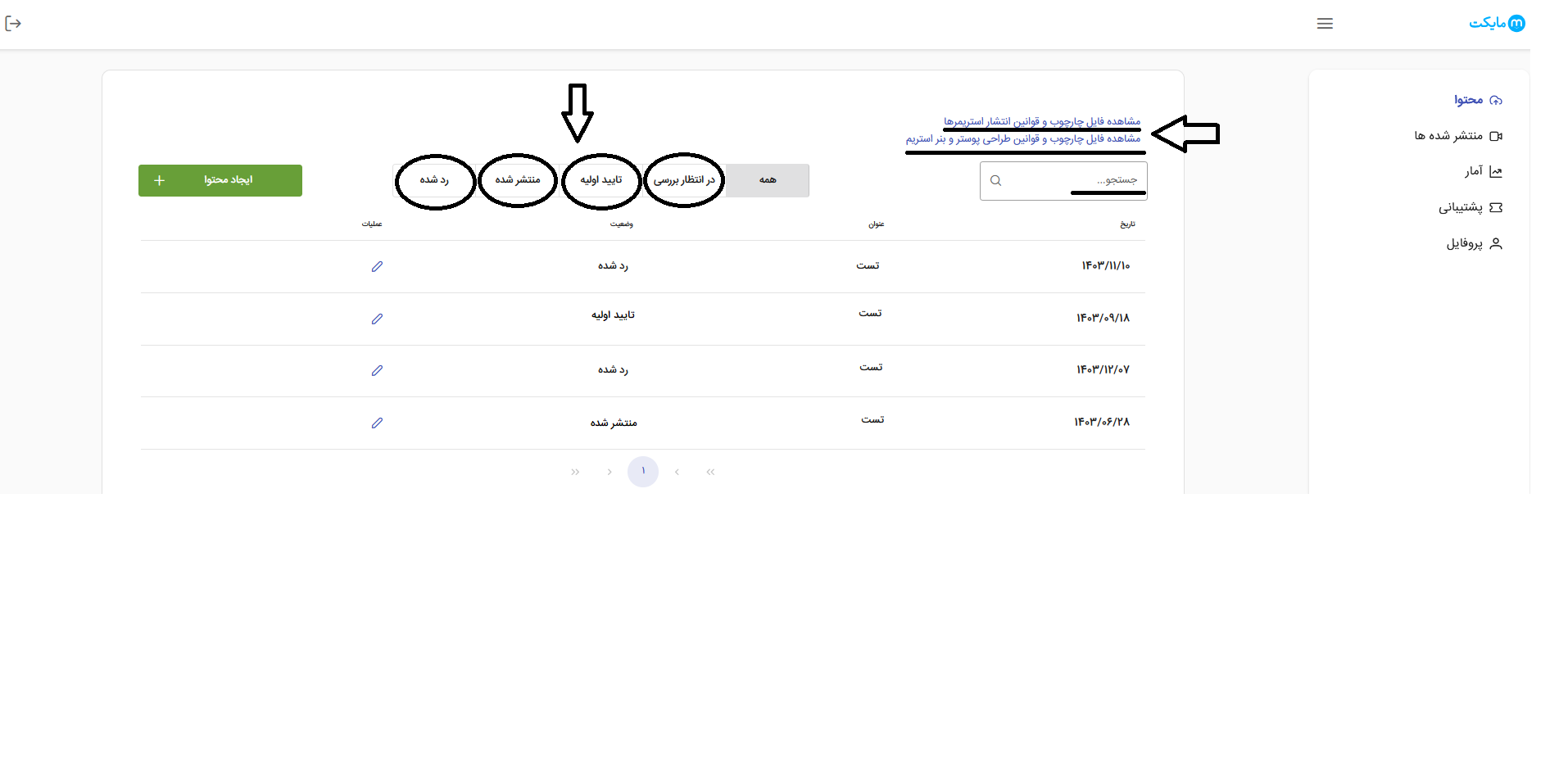
2. After uploading content, you can click Content again in the dashboard and use the filters for Pending Review, Initial Approval, Published, and Rejected to check your content’s status.
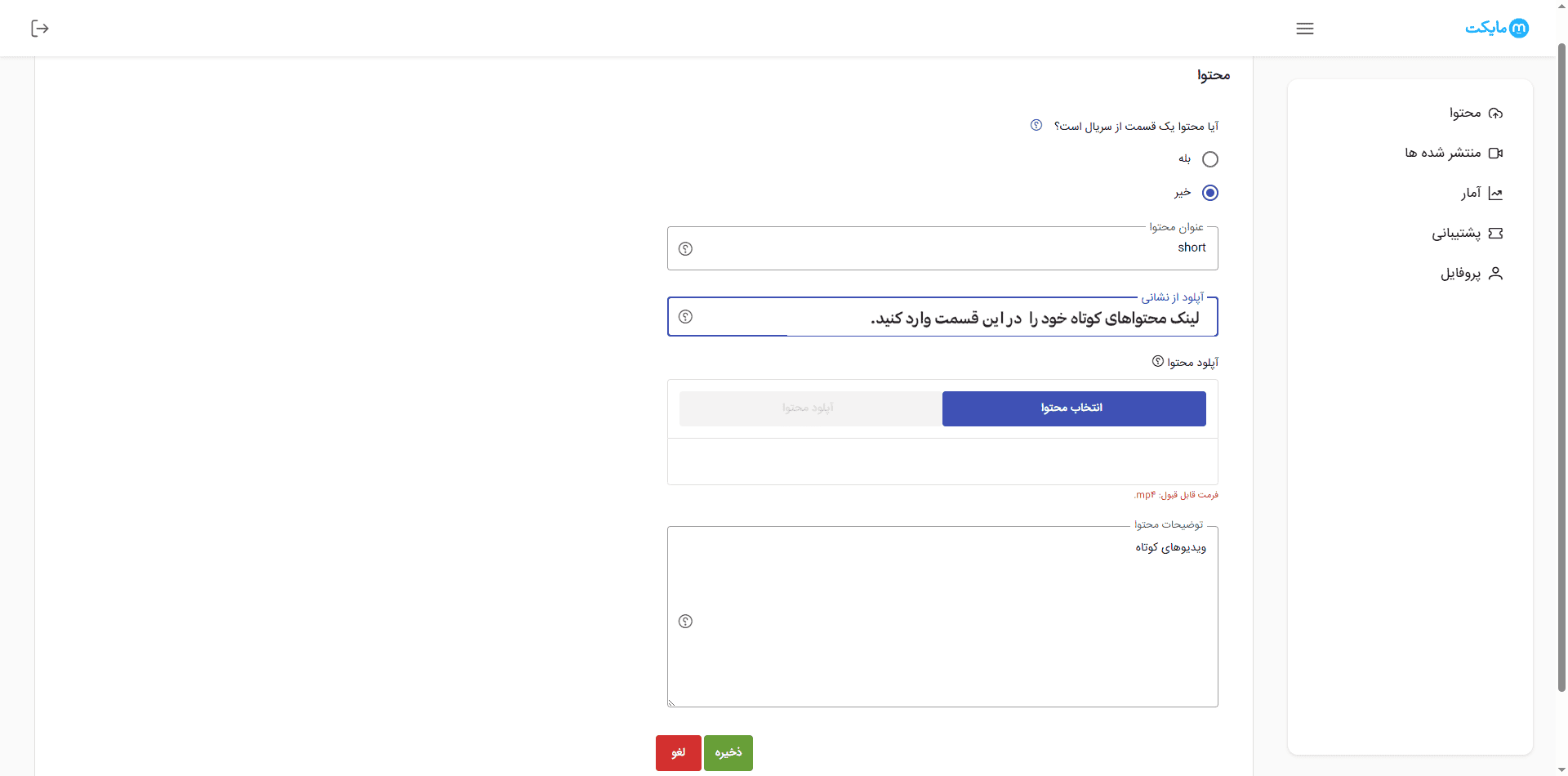
3. The panel also supports uploading short-form content (Reels). You do not need to upload each video individually; simply enter the link to the page containing all your short videos on your Aparat or YouTube channel in the panel, and Myket will receive and publish all your short videos.
4. Use the search on this page to search for a content title and view its status.
This page contains two files: the streamer publishing framework and rules, and the rules for designing stream posters and banners.
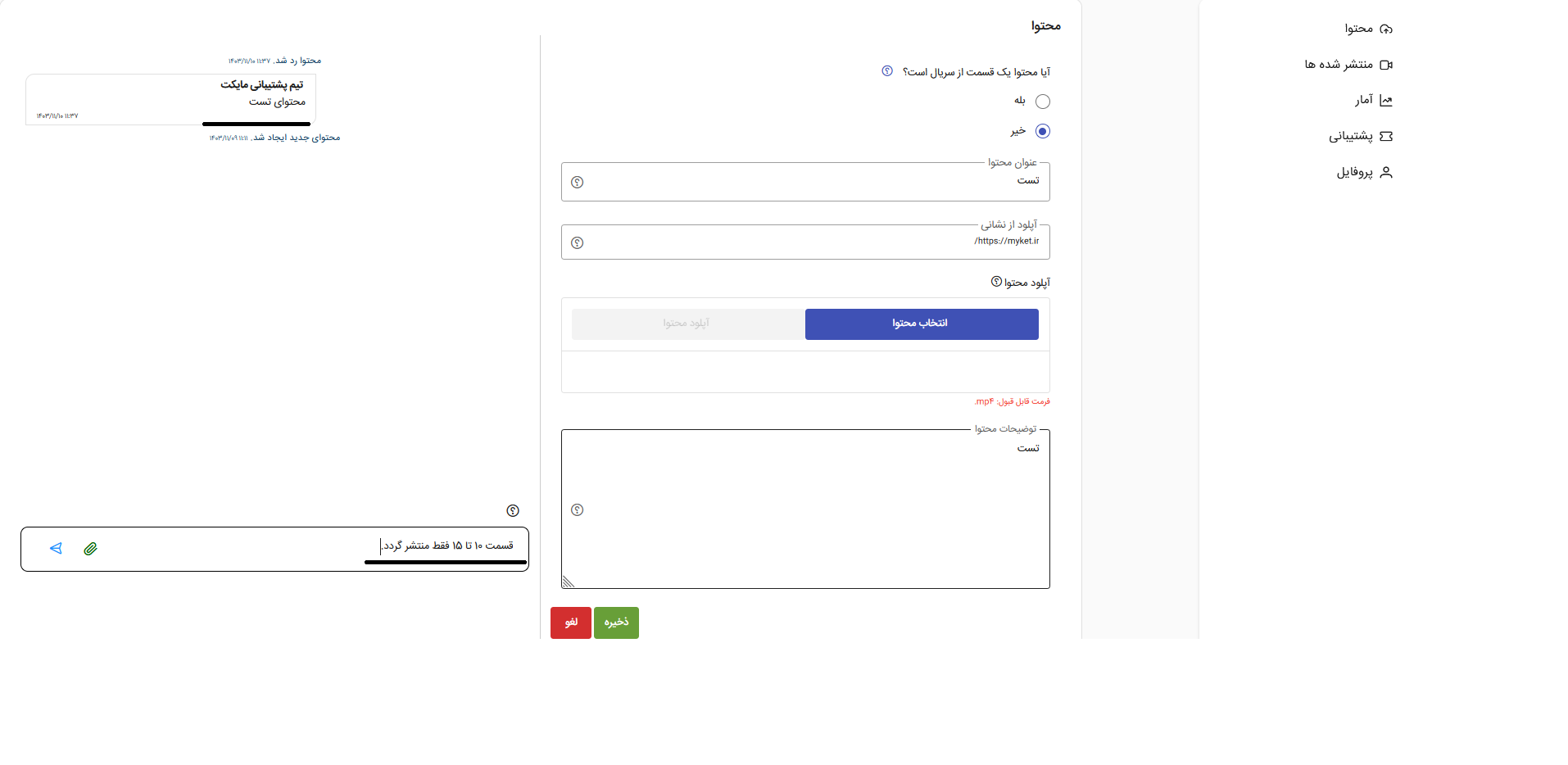
5. In the dashboard’s Content section, click Operations to view your uploaded content and the comments related to each item.
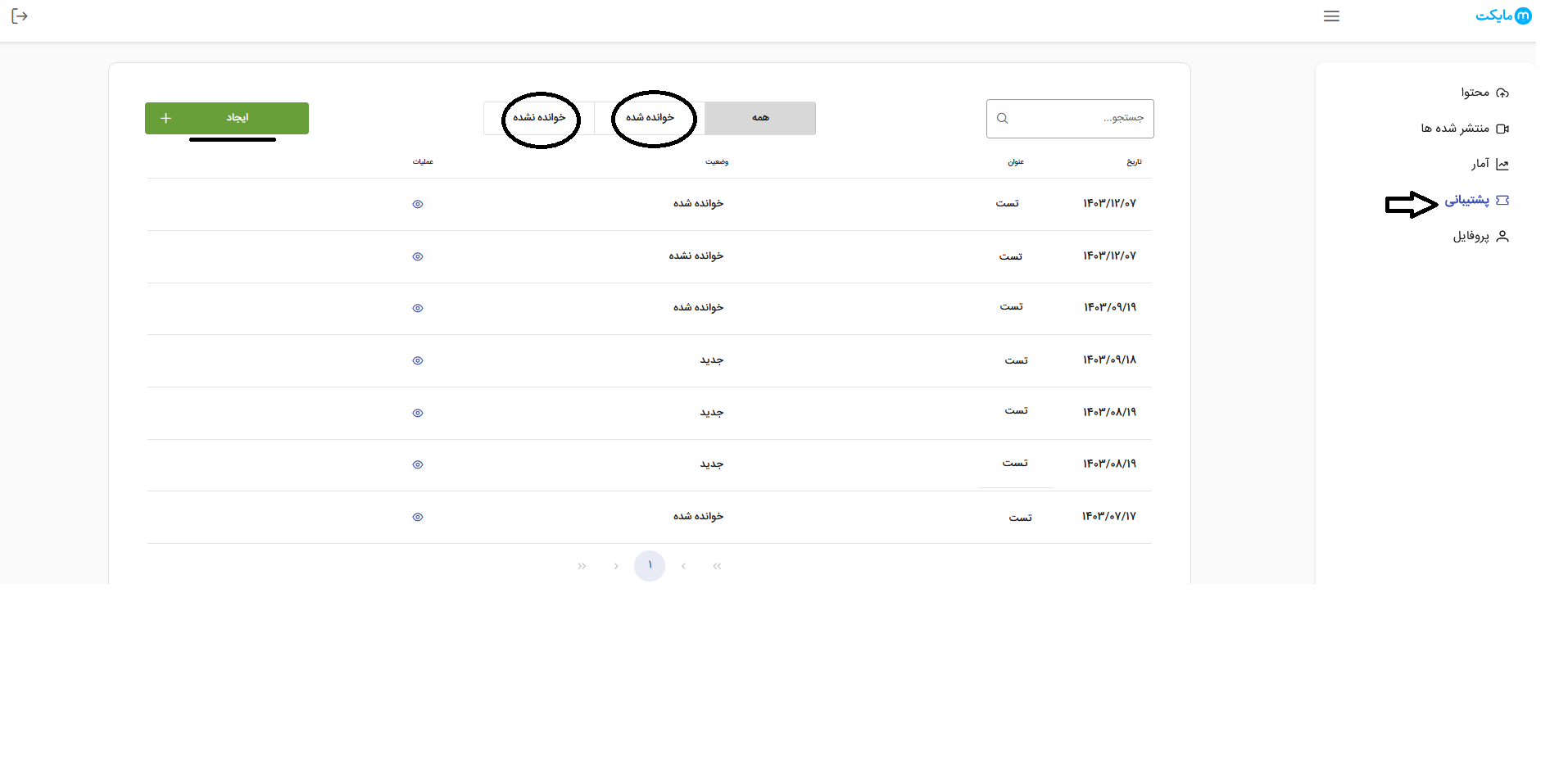
Support
In this section, you can submit a ticket to raise your requests with Myket’s Movies and Series support team, and our colleagues will respond as soon as possible.
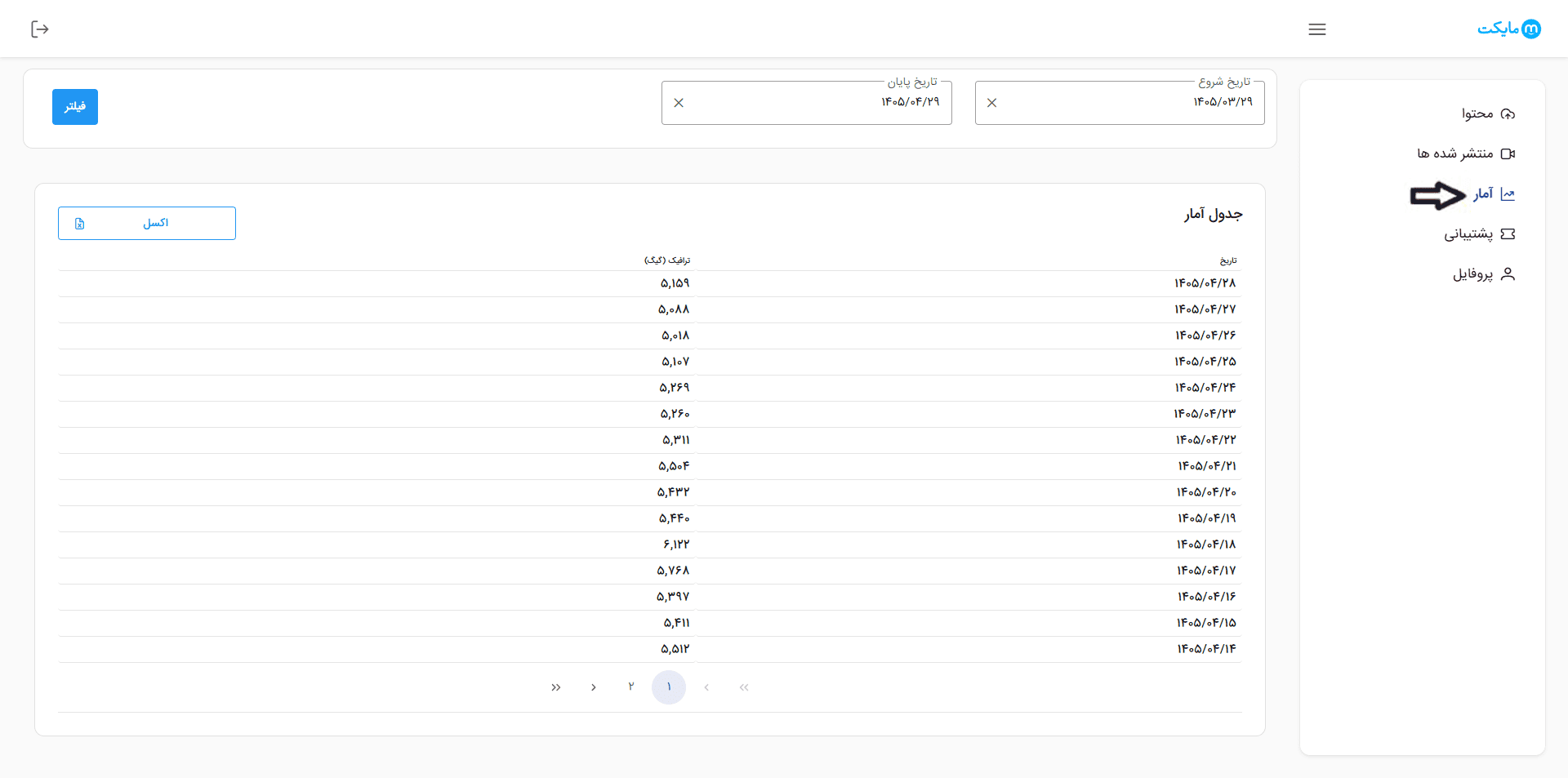
Statistics
1. In this section, you can view a table of your traffic usage statistics for the start and end dates you choose, and download the report as an Excel file.
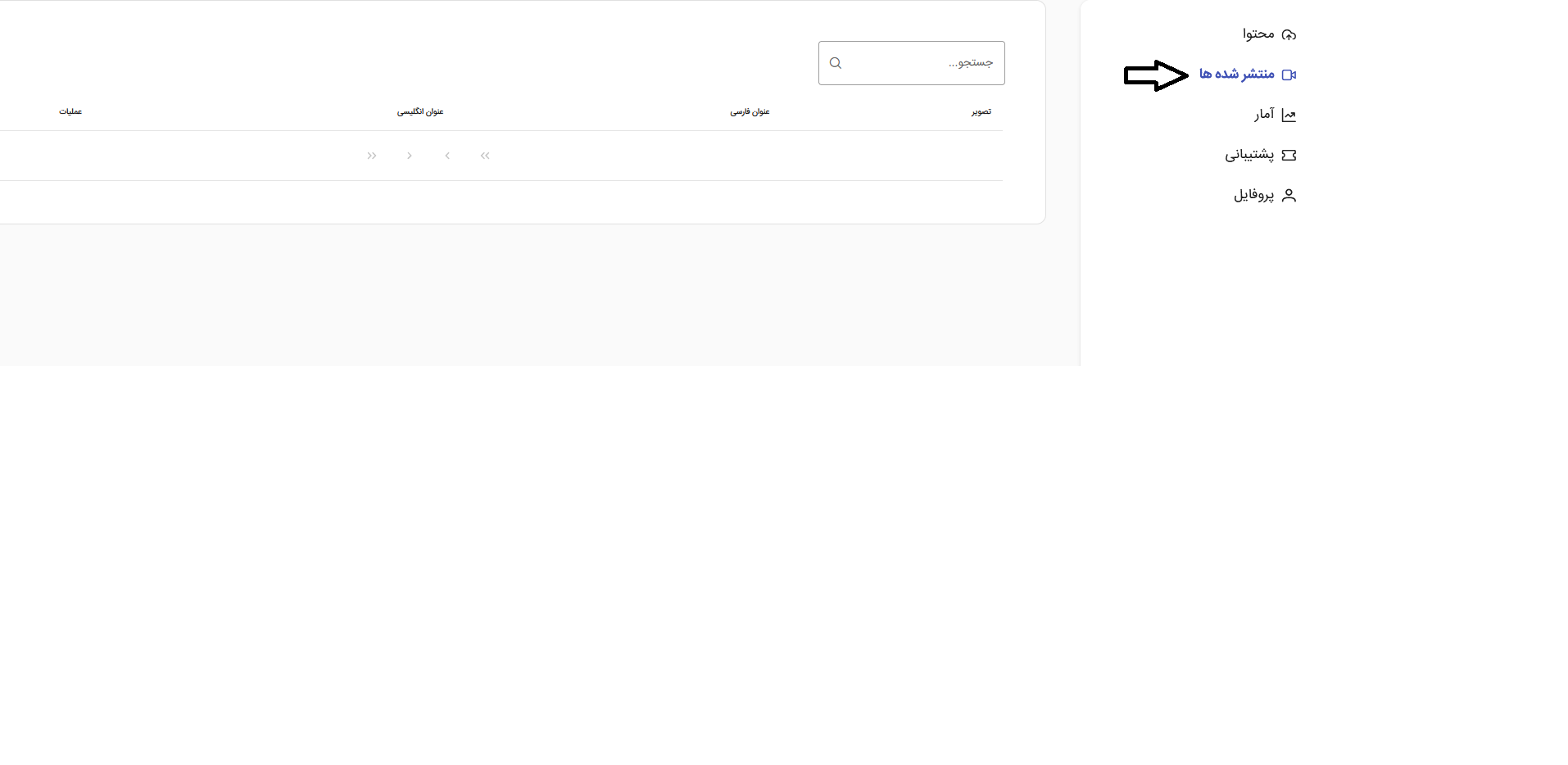
Published
In this section, you can view all your content published on Myket.
If you need further guidance, you can contact our colleagues at Myket.