Two-Step Verification
To improve developer account security, Myket provides Two-Step Verification. It adds an extra security layer: even if unauthorized people obtain your email and password, they cannot sign in to your developer panel.
By enabling two-step verification, you can ensure that only you can access your account and prevent intrusion.
Enabling
In your developer panel, open Profile and select Two-Step Verification.
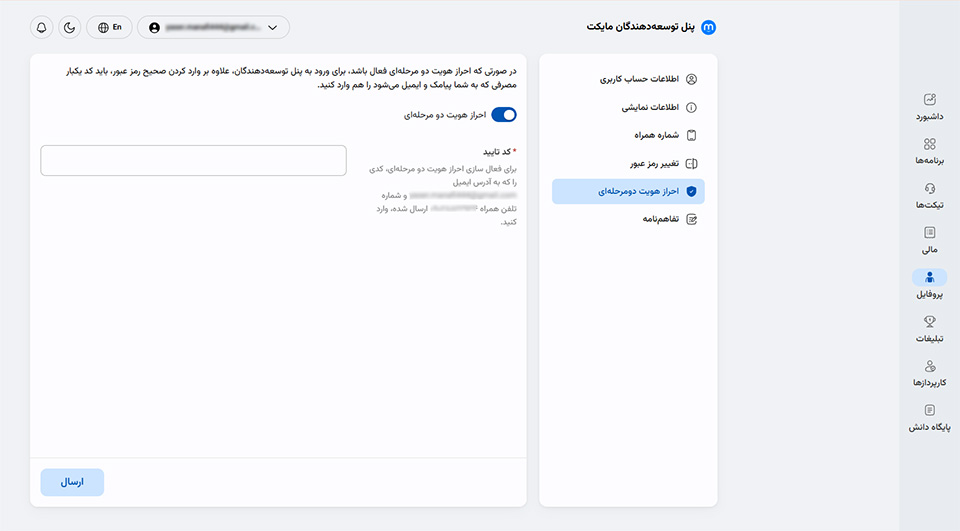
On the two-step verification page, enable the corresponding switch. A verification code is sent to the email address and phone number registered on your account. Entering it enables two-step verification for your account.
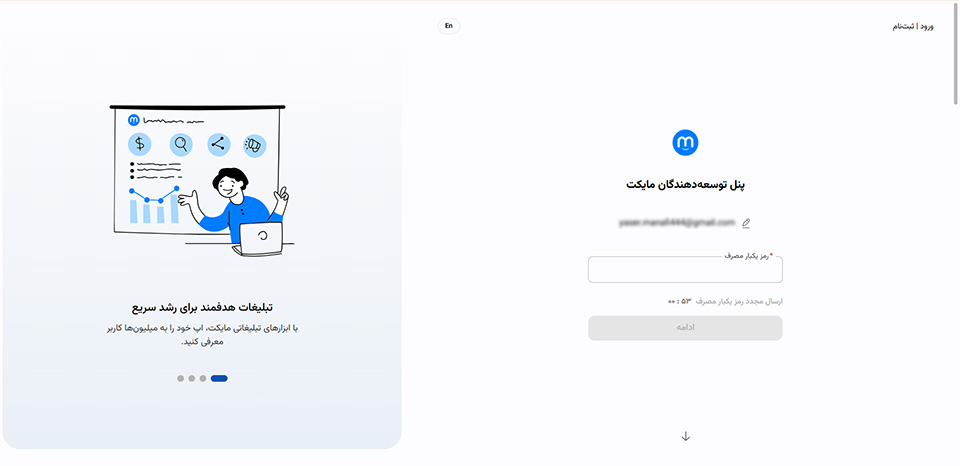
When signing in to the developer panel, after entering your email and password you will receive a one-time password; enter it to access the panel.
Disabling
To disable two-step verification, return to Profile and turn off the switch in Two-Step Verification.