Creating a Recommendation List Campaign
How to Define and Run a Recom Campaign
Different pages of the Myket app contain lists titled Recommended Apps, displaying related apps tailored to the user's interests. Myket uses the user's installed app history and interactions with advertisements as one of the factors influencing ad selection. By also obtaining the content of the page the user is viewing, it considers the user's immediate interest as another factor in selecting the list of advertised apps.
Defining a recommendation list campaign is also very similar to defining a Search Ads campaign.
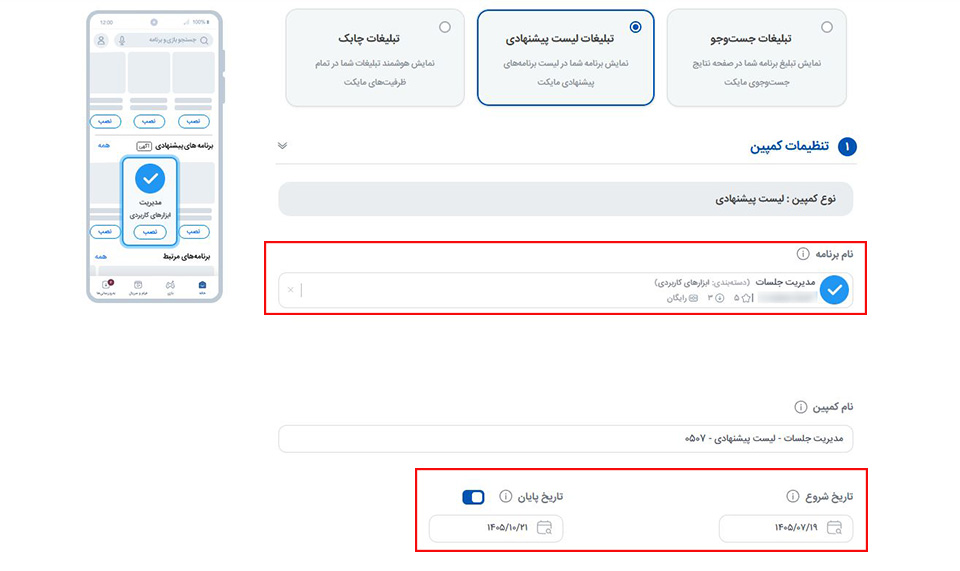
On entering the recommendation list campaign creation page, first select the app name from the list of apps in the developer account, then specify the campaign's start and end dates. The end date is optional.
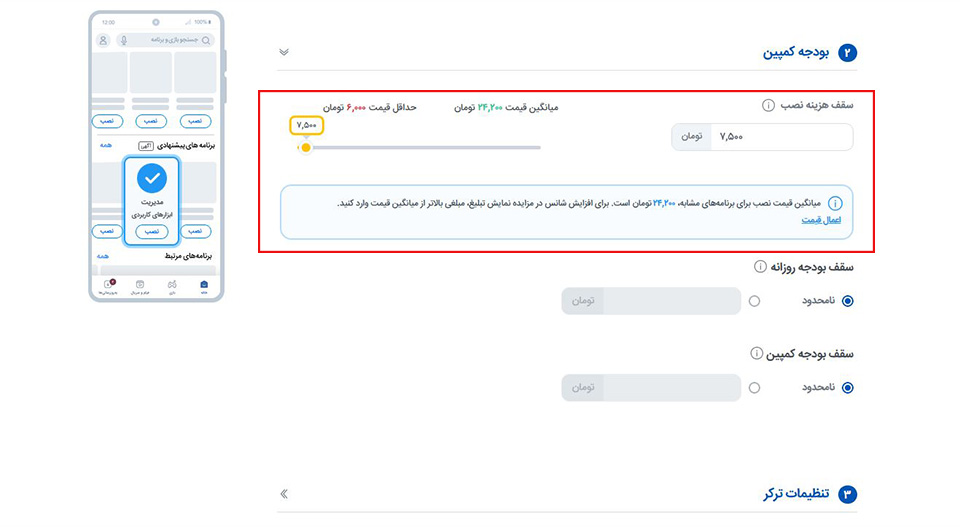
In the “Campaign Budget” section, specify the install cost cap with the same considerations described for Search Ads campaigns.
Then specify the daily and total campaign budget caps. After configuring a tracker, if desired, the campaign proceeds to execution.